HOW IT WORKS WHATSENDER
How It Works
A complete guide to using WhatSender Pro effectively
1️⃣ Introduction
Welcome to WhatSender Pro Business Edition – your all-in-one WhatsApp marketing and automation solution. This page walks you through every major feature, step by step.
2️⃣ How It Works – Step by Step
Step 1: Connect Your WhatsApp
Open WhatSender Pro and click “Open WhatsApp”. A QR code appears — scan it with your mobile WhatsApp (Menu → Linked Devices → Link a Device). Once “Ready” shows, you’re connected!
Step 2: Import Your Contacts
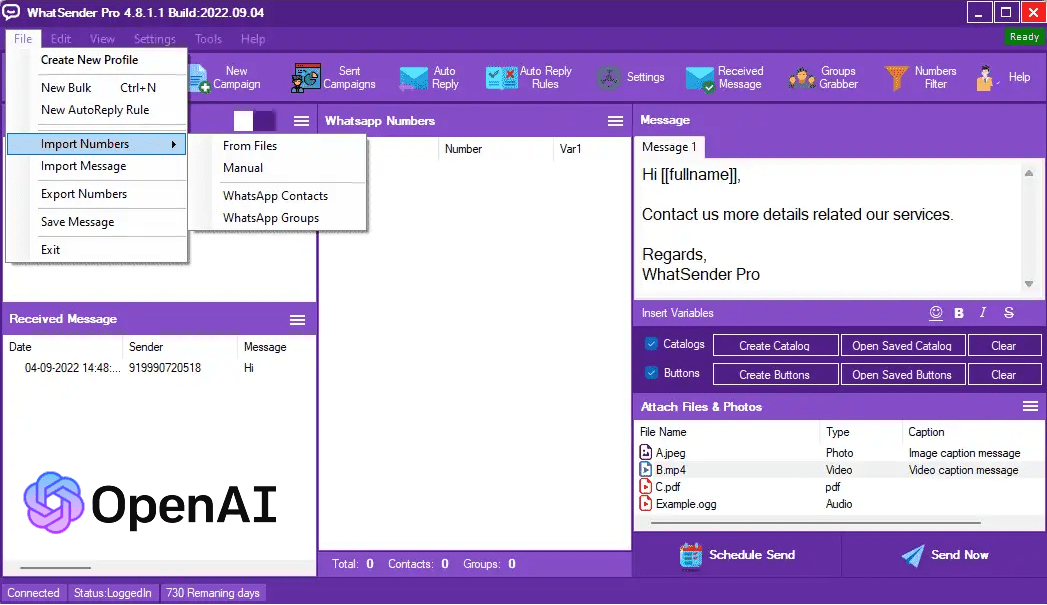
Go to the Import tab to add recipients. You can import:
- 📁 Excel, CSV, or TXT files
- 👥 WhatsApp groups
- 📱 Your phone contacts
You can also add contacts manually or include names for personalized messaging.
Step 3: Create Your Message
Type your message in the message box. Personalize it with variables like {name}.
Attach images, videos, or files under 1 MB if required.
Then choose:
- Safe Mode – for verified and low-risk campaigns
- Blind Mode – for sending to unsaved numbers (use responsibly)
Step 4: Send or Schedule
Click Send Now or set a future date/time to automate delivery. You can track the delivery report in the Campaigns panel.
Step 5: Use Advanced Tools
- 🧹 Number Filter: Validate up to 5,000 numbers in minutes.
- 🤖 Auto-Reply Bot: Engage instantly with incoming messages.
- 🗂️ Group Contact Grabber: Extract contacts from groups instantly.
- 📊 Reports: Monitor campaign success with detailed metrics.
3️⃣ Best Practices
- ✔️ Avoid sending messages too quickly — use random delay settings.
- ✔️ Don’t use newly created WhatsApp numbers for campaigns.
- ✔️ Keep your message relevant and professional to avoid spam reports.
- ✔️ Always back up your contact lists regularly.
4️⃣ Need Help?
Visit our FAQ page for solutions or contact sales@whatsenderpro.com. Our support team is available to assist with installation or troubleshooting.
Get Business Edition